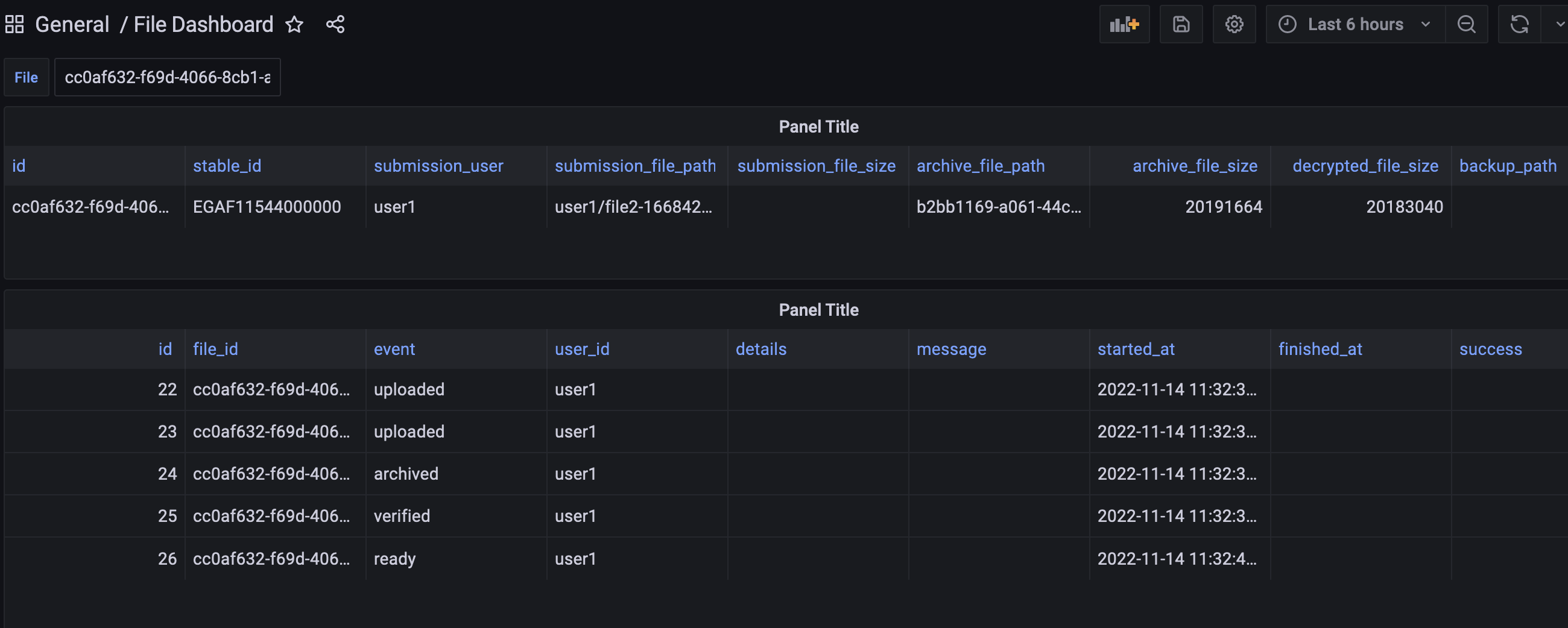
Operator dashboard for controlling the NeIC Sensitive Data Archive
Human genome and phenome data is classified as special categories data under the EU GDPR legislation (Art. 9 GDPR). This requires special care to be taken when processing and reusing this data for research. To enable this in a compliant way, a federated approach was applied to the existing European Genome-phenome Archive ([EGA(https://ega-archive.org/)]) (Freeberg et al., 2022), creating the Federated EGA ([FEGA(https://ega-archive.github.io/ FEGA-onboarding/#what-is-federated-ega)]) (EGA Consortium, n.d.) in 2022. The Nordic countries, Norway, Finland and Sweden, together with Spain and Germany, represent the first federated partners.In the Nordics we have collaborated around our own implementation for our federated EGA nodes. We have done this under the umbrella of the Nordic e-Infrastructure Collaboration (NeIC)[https://neic.no/] (NeIC, n.d.), where we have had three projects over the last 7 years: Tryggve1 (NeIC, 2014-2017), Tryggve2 (NeIC, 2017-2020) and now Heilsa (NeIC, 2021-2024).As we in the nordics now move into production there is a need for both system administrators and helpdesk staff to be able to control and inspect the system. We need to answer questions related to operations, identify errors in order to better manage the services and infrastructure. To standardize this workflow and make the system easier to use, we decided to build a Minimal Viable Product (MVP) for such an “Operator Dashboard” during the ELIXIR Biohackathon 2022.
Figures
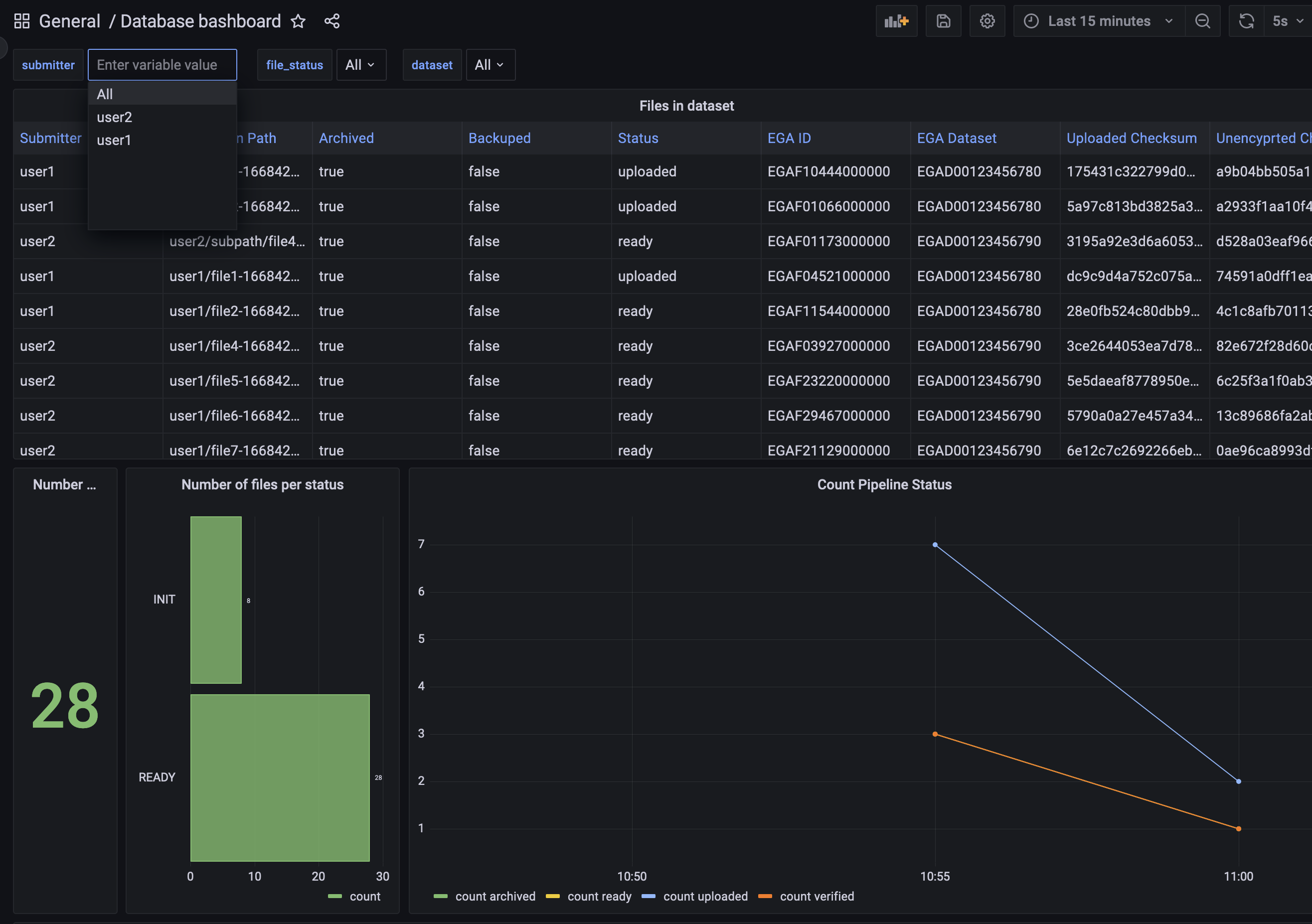
An overview of the state of the system. This can be filtered by submitters, file status and also assigned dataset. It...
An overview of the state of the system. This can be filtered by submitters, file status and also assigned dataset. It shows the status of every file and can also show some overall statistics.